
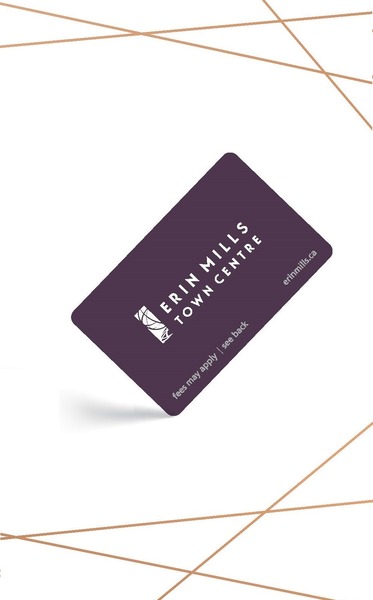
GIVE THE PERFECT GIFT
Erin Mills Town Centre Gift Cards are the perfect choice for your gift giving needs.Purchase gift cards at kiosks near the food court or centre court, at Guest Services, or click below to purchase online.PURCHASE HEREHome
Build Studio Light Setup Using 3ds Max and Vray
Indigo
Loading Inventory...

Build Studio Light Setup Using 3ds Max and Vray
By None
Current price: $8.66

By None
Build Studio Light Setup Using 3ds Max and Vray
Current price: $8.66
Loading Inventory...
Size: Paperback
*Product information may vary - to confirm product availability, pricing, shipping and return information please contact Indigo
The key to render nice and clean product visuals using 3ds Max and VRay is to setup a clean studio environment. You can use a drag and drop environment such as HDR Light Studio to create these visuals.However, if you want to make your product shots different from others, you need to create your own custom studio setup.
This Book will help you to create your own custom studio light setup using 3ds Max and VRay.This Book is written for a broad set of users but it assumes that you have the basic knowledge of 3ds Max and V-Ray. I have used 3ds Max 2014 and VRay 3.0 in the tutorial.
What's inside?
The book contains a studio lighting setup tutorials using 3ds Max and VRay renderer. The tutorial follows the linear workflow.
What are the topics covered in this Book? - Creating environment for the studio light setup using the Syke plugin.
- Setting units for the studio setup.
- Using the exposure controls of the V-Ray Physical Camera.
- Creating chrome shader using V-Ray Material.
- Setting VRay Lights to illuminate the setup.
- Specifying the test and final settings for the VRay renderer.
- Using the linear workflow.
The key to render nice and clean product visuals using 3ds Max and VRay is to setup a clean studio environment. You can use a drag and drop environment such as HDR Light Studio to create these visuals.However, if you want to make your product shots different from others, you need to create your own custom studio setup.
This Book will help you to create your own custom studio light setup using 3ds Max and VRay.This Book is written for a broad set of users but it assumes that you have the basic knowledge of 3ds Max and V-Ray. I have used 3ds Max 2014 and VRay 3.0 in the tutorial.
What's inside?
The book contains a studio lighting setup tutorials using 3ds Max and VRay renderer. The tutorial follows the linear workflow.
What are the topics covered in this Book? - Creating environment for the studio light setup using the Syke plugin.
- Setting units for the studio setup.
- Using the exposure controls of the V-Ray Physical Camera.
- Creating chrome shader using V-Ray Material.
- Setting VRay Lights to illuminate the setup.
- Specifying the test and final settings for the VRay renderer.
- Using the linear workflow.







More About Indigo at Erin Mills Town Centre
The largest book retailer in Canada also offers toys, music, home décor, gifts and lifestyle products. What's Inside...Books, Magazines, CD’s and DVD’s, Toys and Gifts, Home Accents, Electronics, Baby’s and Children’s Section, Bath and Body, Kitchen and Bedroom, Stationary Located outside in the exterior plaza.
5015 Glen Erin Dr, Mississauga, ON L5M 0R7, Canada
Find Indigo at Erin Mills Town Centre in Mississauga ON
Visit Indigo at Erin Mills Town Centre in Mississauga ON