
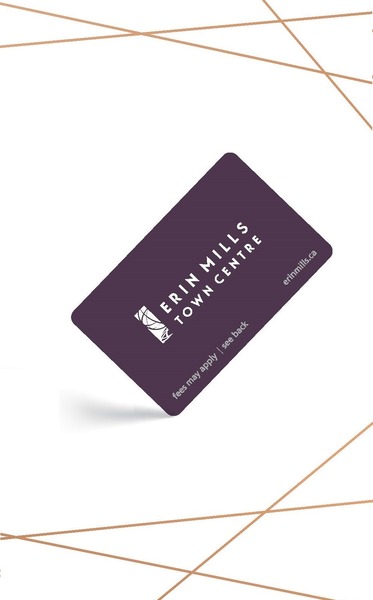
GIVE THE PERFECT GIFT
Erin Mills Town Centre Gift Cards are the perfect choice for your gift giving needs.Purchase gift cards at kiosks near the food court or centre court, at Guest Services, or click below to purchase online.PURCHASE HEREHome
Digital Art: A Complete Guide to Making Your Own Computer Artworks
Indigo
Loading Inventory...

Digital Art: A Complete Guide to Making Your Own Computer Artworks
By None
Current price: $4.99

By None
Digital Art: A Complete Guide to Making Your Own Computer Artworks
Current price: $4.99
Loading Inventory...
Size: Kobo eBook
*Product information may vary - to confirm product availability, pricing, shipping and return information please contact Indigo
A complete guide to making computer artworks, from dynamic action scenes to fantasy landscapes.
Today, digital art appears everywhere - in print, on television, and in the movies. With the rapid advancement of digital art tools, illustration using these methods of is often faster and more effective.
This illustrated guide shows you how to create digital artworks using Photoshop and other popular software platforms. Award-winning illustrator David Cousens guides you through various creative tools and effects, suitable for both beginners and experienced artists. These include:
• RGB, CMYK and DPI
• Pen, brush and custom shape tools
• Blurs, filters, layer masks and blending modes
• Perspective, proportions and the rule of thirds
• Retouching and effects, such as retro pixel art, silkscreen and charcoal effects.
• And much more!
Including useful screengrabs to guide you through these instructions, Digital Art will have you creating brilliant artwork in no time.
A complete guide to making computer artworks, from dynamic action scenes to fantasy landscapes.
Today, digital art appears everywhere - in print, on television, and in the movies. With the rapid advancement of digital art tools, illustration using these methods of is often faster and more effective.
This illustrated guide shows you how to create digital artworks using Photoshop and other popular software platforms. Award-winning illustrator David Cousens guides you through various creative tools and effects, suitable for both beginners and experienced artists. These include:
• RGB, CMYK and DPI
• Pen, brush and custom shape tools
• Blurs, filters, layer masks and blending modes
• Perspective, proportions and the rule of thirds
• Retouching and effects, such as retro pixel art, silkscreen and charcoal effects.
• And much more!
Including useful screengrabs to guide you through these instructions, Digital Art will have you creating brilliant artwork in no time.
You May Also Like









More About Indigo at Erin Mills Town Centre
The largest book retailer in Canada also offers toys, music, home décor, gifts and lifestyle products. What's Inside...Books, Magazines, CD’s and DVD’s, Toys and Gifts, Home Accents, Electronics, Baby’s and Children’s Section, Bath and Body, Kitchen and Bedroom, Stationary Located outside in the exterior plaza.
5015 Glen Erin Dr, Mississauga, ON L5M 0R7, Canada
Find Indigo at Erin Mills Town Centre in Mississauga ON
Visit Indigo at Erin Mills Town Centre in Mississauga ON