
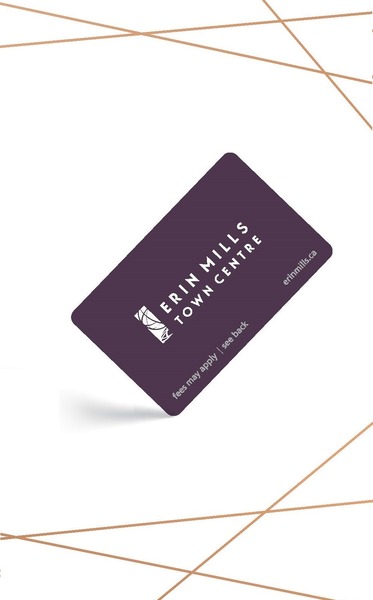
GIVE THE PERFECT GIFT
Erin Mills Town Centre Gift Cards are the perfect choice for your gift giving needs.Purchase gift cards at kiosks near the food court or centre court, at Guest Services, or click below to purchase online.PURCHASE HEREHome
Ios 8 Application Development In 24 Hours, Sams Teach Yourself
Indigo
Loading Inventory...

Ios 8 Application Development In 24 Hours, Sams Teach Yourself
By None
Current price: $51.99

By None
Ios 8 Application Development In 24 Hours, Sams Teach Yourself
Current price: $51.99
Loading Inventory...
Size: Paperback
*Product information may vary - to confirm product availability, pricing, shipping and return information please contact Indigo
In just 24 sessions of one hour each, learn how to build powerful applications for today’s hottest handheld devices: the iPhone and iPad! Using this book’s straightforward, step-by-step approach, you’ll master every skill and technology you need, from setting up your iOS development environment to building great user interfaces, sensing motion to writing multitasking applications. Each lesson builds on what you’ve already learned, giving you a rock-solid foundation for real-world success! Step-by-step instructions carefully walk you through the most common iOS development tasks.
Quizzes and Exercises help you test your knowledge.
By the Way notes present interesting information related to the discussion.
Did You Know? tips show you easier ways to perform tasks.
Watch Out! cautions alert you to possible problems and give you advice on how to avoid them. John Ray is currently serving as the Director of the Office of Research Information Systems at the Ohio State University. His many books include Using TCP/IP: Special Edition, Maximum Mac OS X Security , Mac OS X Unleashed , Teach Yourself Dreamweaver MX in 21 Days , and Sams Teach Yourself iOS 7 Application Development in 24 Hours . Printed in full color–figures and code appear as they do in Xcode Covers iOS 8 and up
Learn to navigate the Xcode 6.x development environment
Prepare your system and iDevice for efficient development
Get started quickly with Apple’s new language: Swift
Test code using the new iOS Playground
Understand the Model-View-Controller (MVC) development pattern
Visually design and code interfaces using Xcode Storyboards, Segues, Exits, Image Slicing, and the iOS Object Library
Use Auto Layout and Size Classes to adapt to different screen sizes and orientations
Build advanced UIs with Tables, Split Views, Navigation Controllers, and more
Read and write preferences and data, and create System Settings plug-ins
Use the iOS media playback and recording capabilities
Take photos and manipulate graphics with Core Image
Sense motion, orientation, and location with the accelerometer, gyroscope, and GPS
Integrate online services using Twitter, Facebook, Email, Web Views, and Apple Maps
Create universal applications that run on both the iPhone and iPad
Write background-aware multitasking applications
Trace, debug, and monitor your applications as they run
In just 24 sessions of one hour each, learn how to build powerful applications for today’s hottest handheld devices: the iPhone and iPad! Using this book’s straightforward, step-by-step approach, you’ll master every skill and technology you need, from setting up your iOS development environment to building great user interfaces, sensing motion to writing multitasking applications. Each lesson builds on what you’ve already learned, giving you a rock-solid foundation for real-world success! Step-by-step instructions carefully walk you through the most common iOS development tasks.
Quizzes and Exercises help you test your knowledge.
By the Way notes present interesting information related to the discussion.
Did You Know? tips show you easier ways to perform tasks.
Watch Out! cautions alert you to possible problems and give you advice on how to avoid them. John Ray is currently serving as the Director of the Office of Research Information Systems at the Ohio State University. His many books include Using TCP/IP: Special Edition, Maximum Mac OS X Security , Mac OS X Unleashed , Teach Yourself Dreamweaver MX in 21 Days , and Sams Teach Yourself iOS 7 Application Development in 24 Hours . Printed in full color–figures and code appear as they do in Xcode Covers iOS 8 and up
Learn to navigate the Xcode 6.x development environment
Prepare your system and iDevice for efficient development
Get started quickly with Apple’s new language: Swift
Test code using the new iOS Playground
Understand the Model-View-Controller (MVC) development pattern
Visually design and code interfaces using Xcode Storyboards, Segues, Exits, Image Slicing, and the iOS Object Library
Use Auto Layout and Size Classes to adapt to different screen sizes and orientations
Build advanced UIs with Tables, Split Views, Navigation Controllers, and more
Read and write preferences and data, and create System Settings plug-ins
Use the iOS media playback and recording capabilities
Take photos and manipulate graphics with Core Image
Sense motion, orientation, and location with the accelerometer, gyroscope, and GPS
Integrate online services using Twitter, Facebook, Email, Web Views, and Apple Maps
Create universal applications that run on both the iPhone and iPad
Write background-aware multitasking applications
Trace, debug, and monitor your applications as they run
You May Also Like









More About Indigo at Erin Mills Town Centre
The largest book retailer in Canada also offers toys, music, home décor, gifts and lifestyle products. What's Inside...Books, Magazines, CD’s and DVD’s, Toys and Gifts, Home Accents, Electronics, Baby’s and Children’s Section, Bath and Body, Kitchen and Bedroom, Stationary Located outside in the exterior plaza.
5015 Glen Erin Dr, Mississauga, ON L5M 0R7, Canada
Find Indigo at Erin Mills Town Centre in Mississauga ON
Visit Indigo at Erin Mills Town Centre in Mississauga ON